
Your analysis is trapped in one tool. Your teams work in ten others.
Là où les idées vont mourir
Once an analysis exists, it's stuck. It lives behind one login, in one interface.
The people who need it work in Slack, in Teams, in a Notion doc, and they won't open yet another dashboard for one number.
So the insight sits where nobody looks.
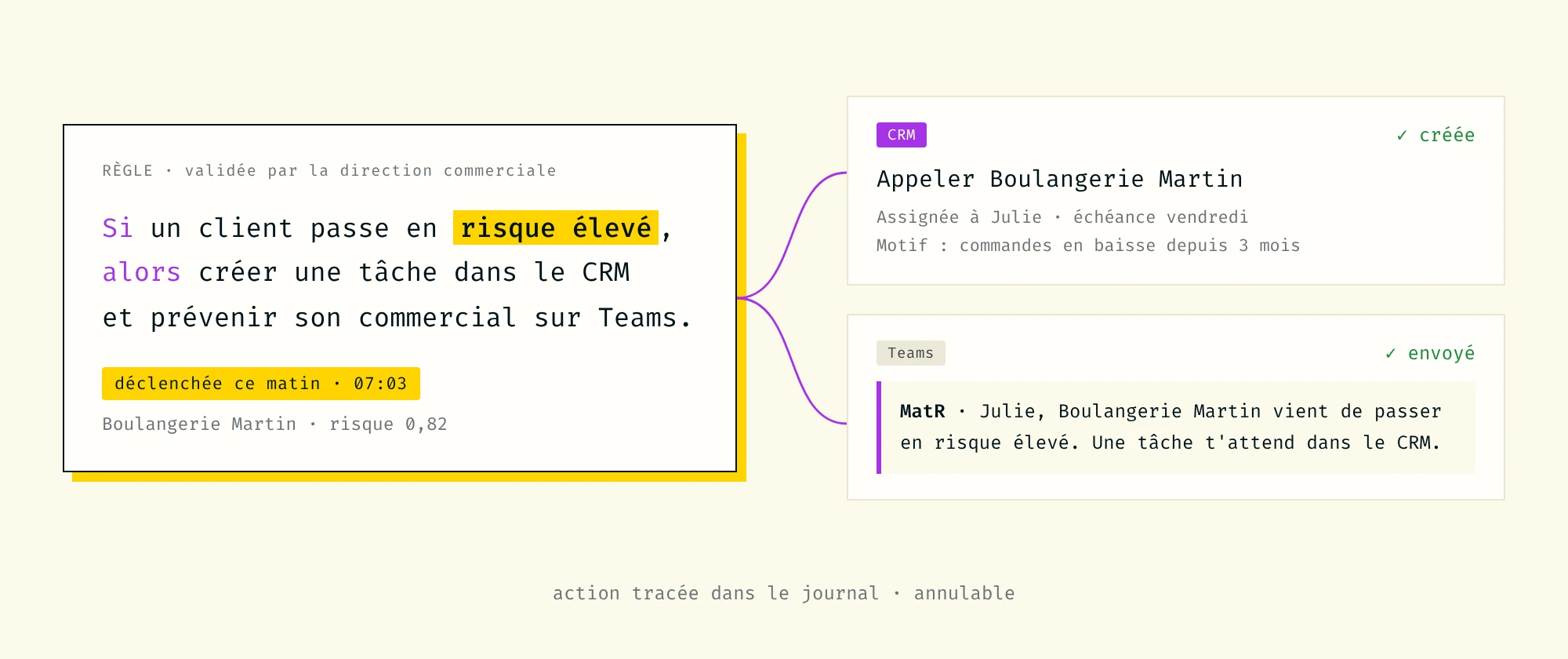
Fait à la main : exporter, filtrer, copier dans le CRM. Chaque semaine. Quand on y pense.
What it looks like
Ask a question in a channel, "what's our churn forecast for next month?", and get the answer, the chart, and the explanation right in the thread.
Write an analysis straight into a doc: a metric, a chart, a model output, generated by Matr and placed where your teams read and decide.
Any MCP-compatible assistant can query your Matr datasets and models directly, with your semantic layer and your permissions applied.
Automatiser les reportings
Le comité reçoit son point le lundi à 8 h. Personne ne l'a préparé.
Better answers start with better concepts.
Columns aren't concepts
A dataset on its own is just columns.
What makes an analysis correct is knowing what those columns mean in your business, and that knowledge lives outside the warehouse.
Context, pulled in
Through MCP, Matr pulls context from the tools where your teams already document their work.
Definitions, metric logic, business rules: the semantics that turn a raw query into the right answer.
Answers that sound like you
The more context Matr can reach, the more its analyses sound like they came from someone who knows your business.
On every kind of data you have.
Matr is a data app builder where anyone creates an analysis the way they'd ask a colleague.
Ask a question in plain language: Matr queries the warehouse, builds the chart, explains the result, and assembles it into a dashboard. Every result shows three views, chart, raw data, and SQL, so nothing is a black box.
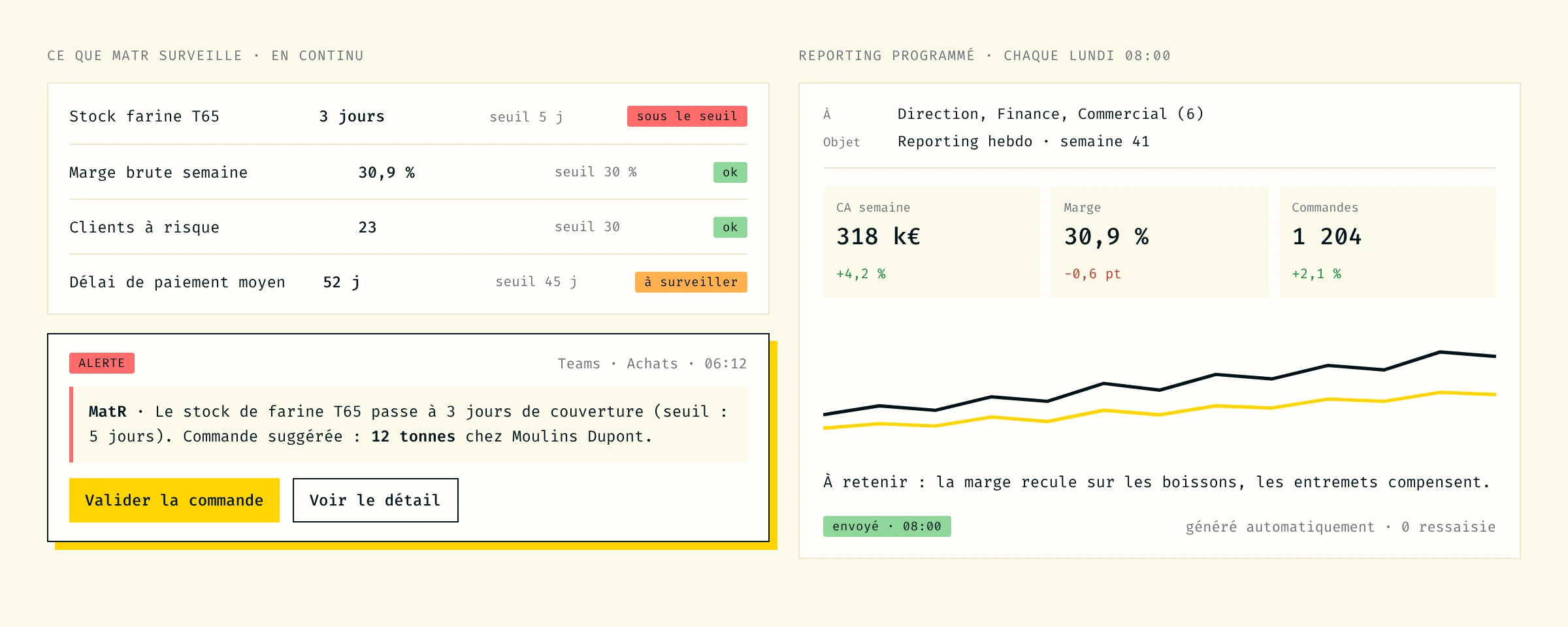
The difference: it works on any data. Pure BI metrics like revenue, funnel and KPIs. And the outputs of your ML models, churn scores, forecasts, segments. Both live in the same dashboard, because that's where the decision is made.
Questions we hear most.
Every month you spend building ML in-house is a month your competitors spend shipping predictions.
Do I need a data scientist to use Matr?
No. That's the whole point. Your data analyst describes the business question in natural language — Matr handles the ML pipeline.
What types of models can I build?
Classification (churn, scoring, segmentation), regression (revenue forecast, demand planning), and time-series forecasting. Matr selects the best approach based on your data.
How accurate are the models?
It depends on your data quality, but Matr shows you accuracy metrics, baseline comparison, and confidence scores so you can make an informed decision. Typical results: 75-95% accuracy on well-structured data.
Where does my data stay?
In your warehouse. Matr connects to your Snowflake, BigQuery, or PostgreSQL. No data is moved or duplicated.
Can I integrate predictions into my existing tools?
Yes. Via REST API, direct warehouse write-back, or scheduled exports. Predictions flow into your CRM, ERP, spreadsheet — wherever your team works.
What happens if the model's performance degrades?
Matr monitors model drift continuously. When performance drops below threshold, it flags the issue and can trigger automatic retraining.
For more questions, feel free to contact us
An API that returns raw rows just moves the problem. Matr's semantic layer goes with every call: rev_net_m3 is "Net Revenue (3-month)" whether the question comes from a dashboard, a Slack message, or a line of code.
Permissions travel too. Each channel and each integration respects the same access scope you set in Matr. Opening your data to more places doesn't mean loosening control over it.
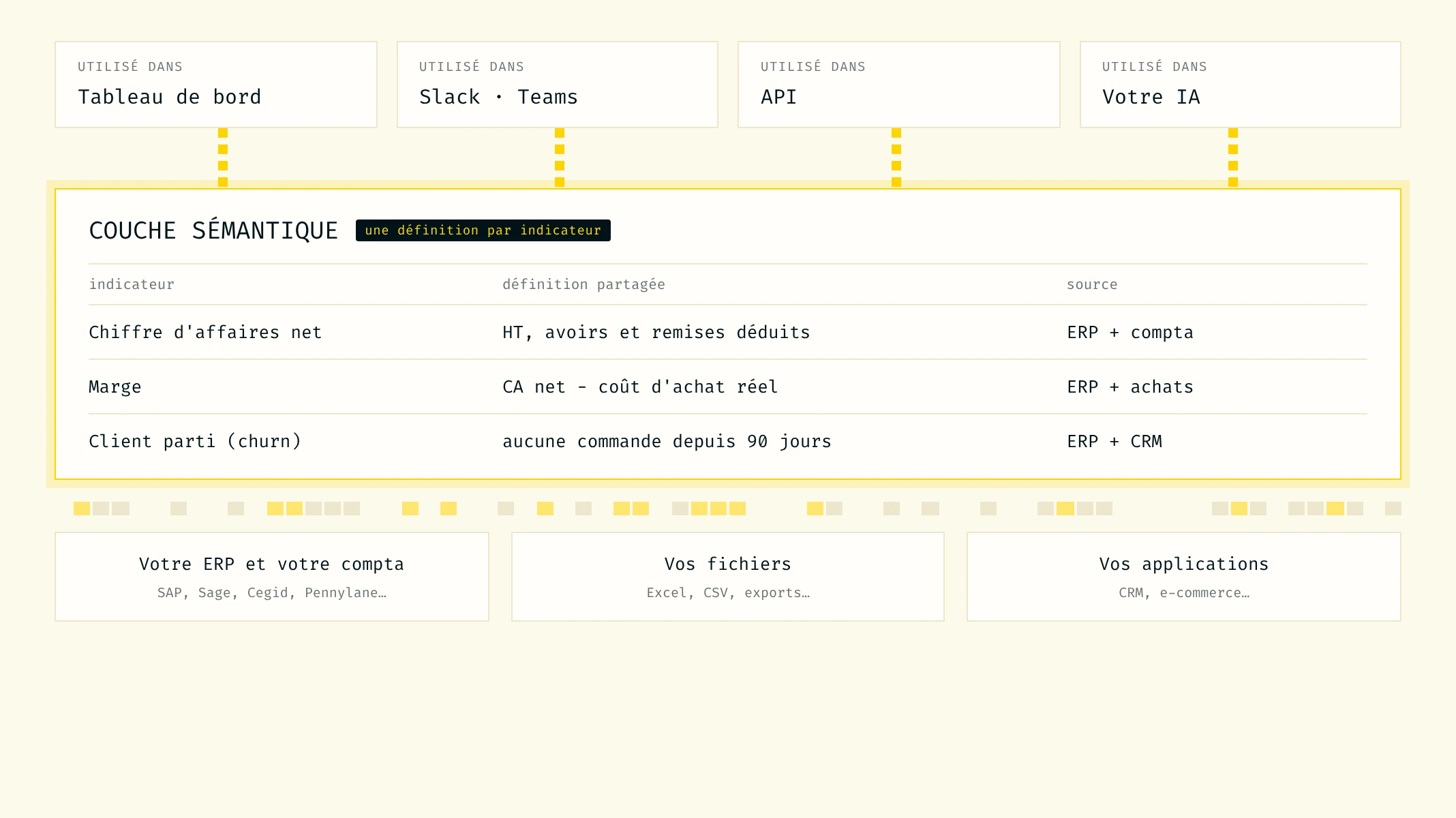
Opening data to more places doesn't mean losing control over it.
A different approach.
Transparency on the division of responsibilities is itself a sign of seriousness. Here, without gray areas, who does what.
BI traditionnelle
MatR
Business context
Manual config, kept inside the BI tool
Enriched continuously through MCP
Getting answers out
Locked in one interface
API + MCP, reachable from any tool
Query from Slack / Teams
No, or a separate integration to build
Native through MCP
Write results into Notion
Manual copy-paste, goes stale
Generated and placed by Matr
Semantic layer
Lost outside the BI tool
Travels with every call
Model outputs
Manual export
Live API endpoint per model